


Introducing CARTOframes: A Python Interface for CARTO


It’s with a lot of pride that we’re releasing CARTOframes a Python package for interacting with CARTO that’s built specifically with data scientists in mind.
CARTOframes allows data scientists to extract the power of CARTO without leaving their Python environment. It also speaks the language of some of the de facto standards of the data science community: Jupyter notebooks pandas matplotlib and SQL/PostGIS. Because of thisCARTOframes easily ties in with the wider Python ecosystem.
We had the following goals in mind when creatingCARTOframes:
- Enable data scientists to easily integrate CARTO into their workflows- Create data-driven maps with sensible and responsive cartographic defaults- Augment datasets using the Data Observatory- Perform spatial analysis using CARTO’s cloud-based PostGIS database- Use the rich display environment and reproducible workflows of Jupyternotebooks to communicate analyses
CARTOframes in a nutshell
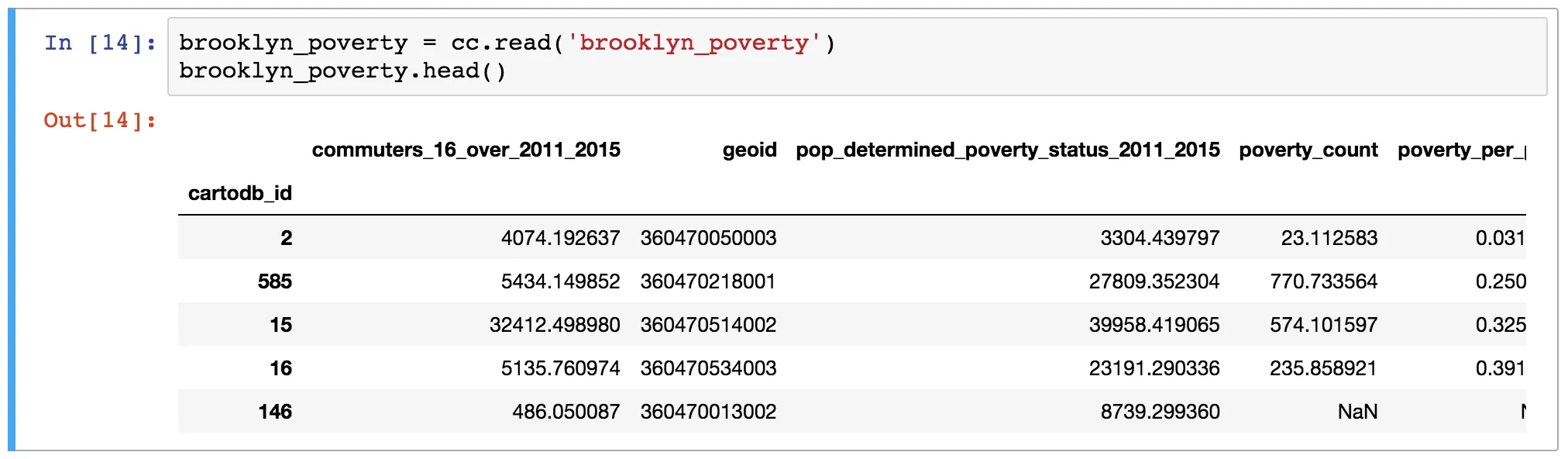
Read from a CARTO dataset (or arbitrary query) into a pandas DataFrame
For any table in your CARTO account (or any SQL query) read it into a pandas DataFrame. This allows you to pull your CARTO dataset or query into the Python environment for analysis outside CARTO.
Send a DataFrame to CARTO as a table
This operation allows you to create a new table from a DataFrame.

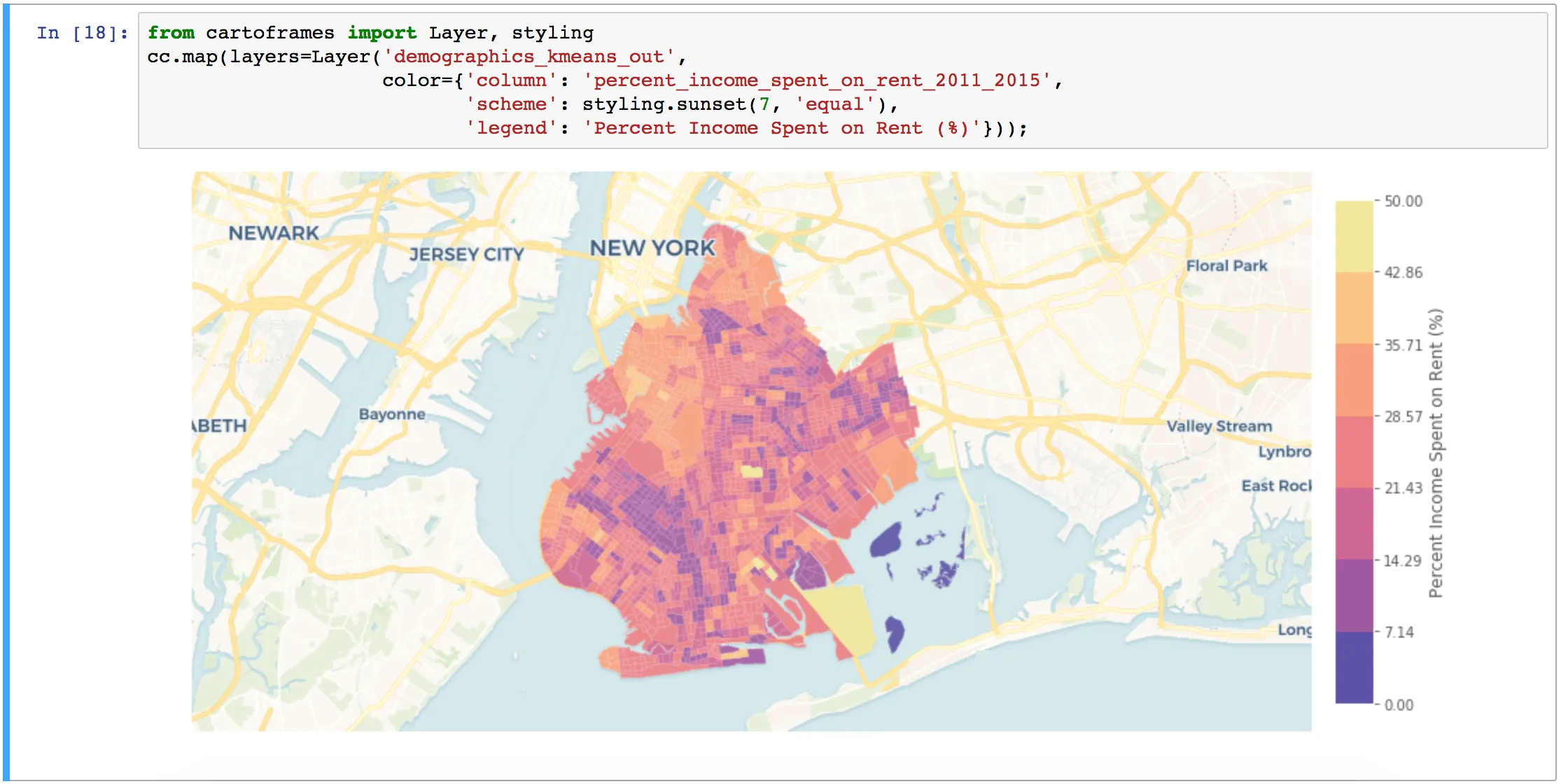
Create maps
Create interactive or static maps. If the map is interactive you get an interactive map like you would see in Builder. For a static map you get a map returned as a matplotlib image.
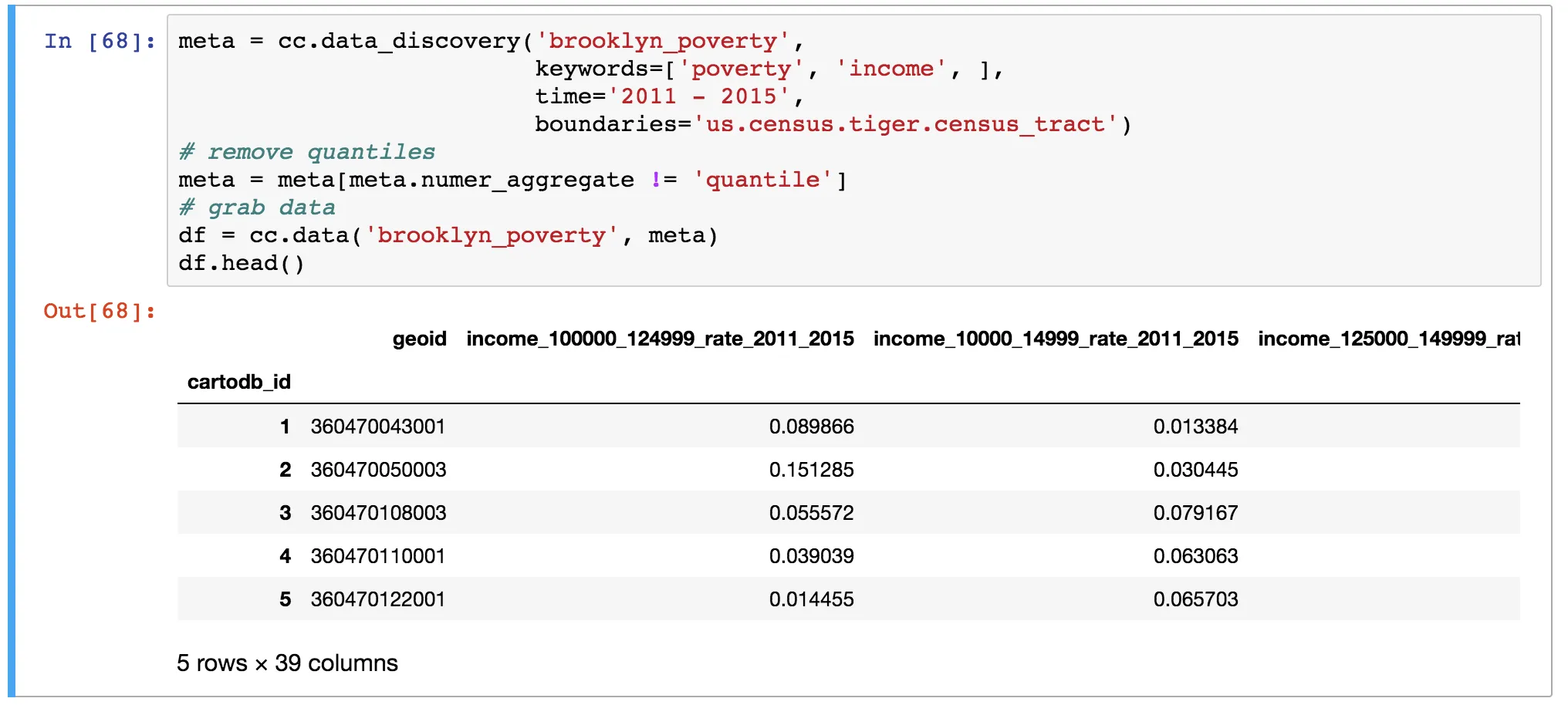
Interact with the Data Observatory
Search the Data Observatory for measures of interest and then get an augmented version of that dataset with the new measures.
Get started using CARTOframes
- Try it out today in Binder using some sample notebooks- Install it: pip install cartoframes- Check out the documentation- View the source code: https://github.com/cartodb/cartoframes Of course this is just the beginning. Watch this space for more to come out of CARTOframes :)
Don’t forget to share this post on Linkedin!